WHAT IS IT?
Create announcement notifications to be pushed directly into your employees' PAM application home screen.
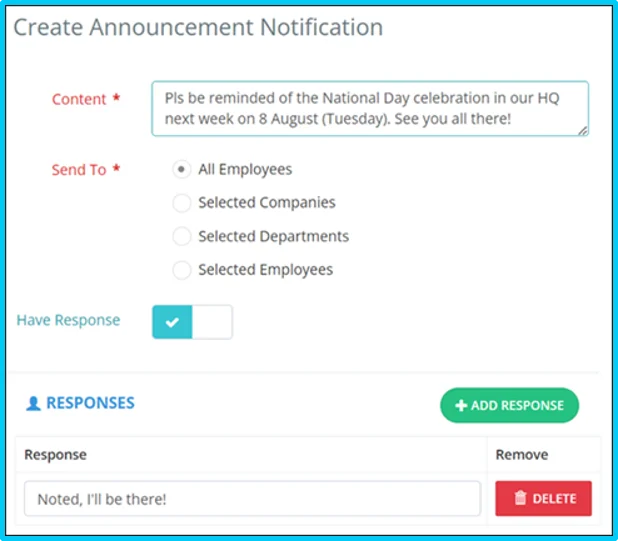
Configure response(s) for employees to choose from and acknowledge your announcement by turning on the response option.

Send to All Employees
Push this announcement out to all users in your PAM system.

Send to Selected Companies
Push this announcement out only to users in selected companies if you have multi-companies in your PAM system.

Send to Selected Departments
Push this announcement out to users in selected departments only.

Send to Selected Employees
Push this announcement out to specific users only.
HOW DO I MANAGE MY ANNOUNCEMENTS?
NEW FEATURE
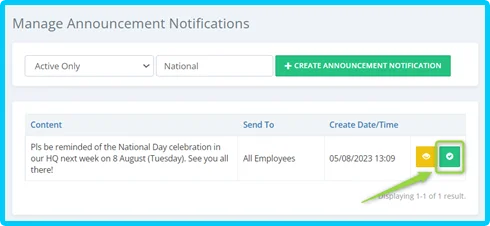
Activate or deactivate announcement notifications in your "Announcement Notification" module to remove expired notifications from employee's PAM app home screen.
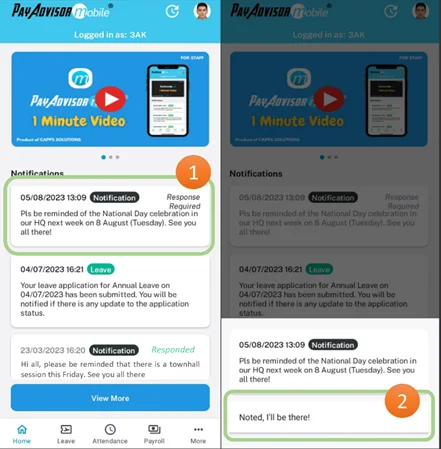
EMPLOYEE PHONE SCREEN
Selected employees configured to receive the notification can view notification upon launching of the PAM app on their personal device.
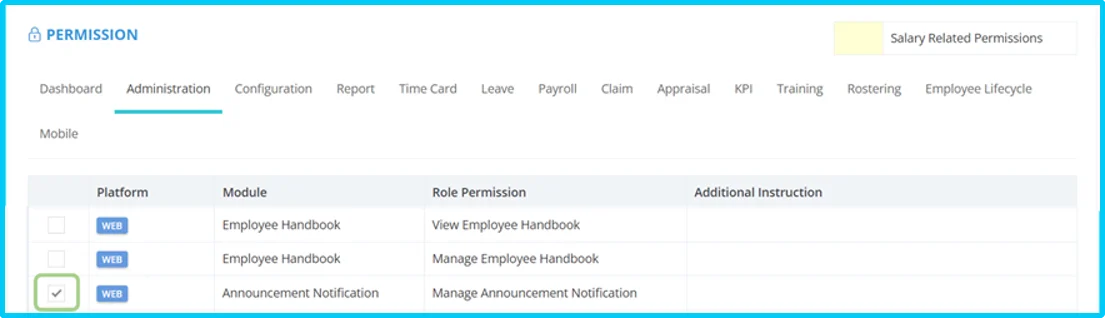
How to enable this role permission:
Go to Administration Role Update Role Administration Enable Announcement Notification permission.