Punch In with just a simple scan with PAM's new Project QR code!
Reduce chances of error in daily Punch In records and save time spent on punch log edits right now.
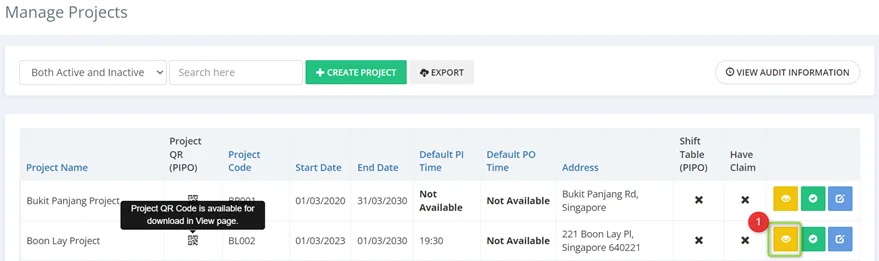
STEP 1 - Download QR code in Project View page
Download your project QR code in the your PAM project view page and put it up at your job sites.
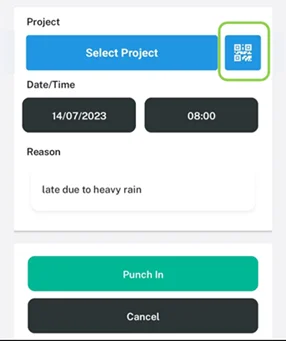
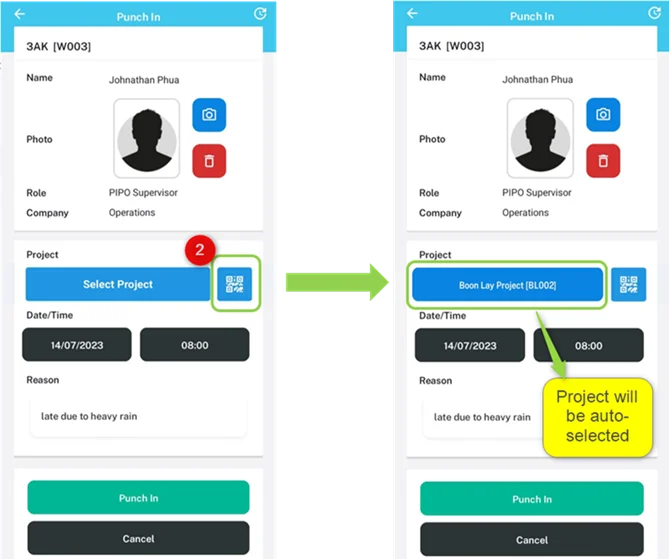
STEP 2 - Select QR code option in PAM mobile Punch In page
Users can simply scan the QR code to PI. No more time spent scrolling to search for their project each morning!
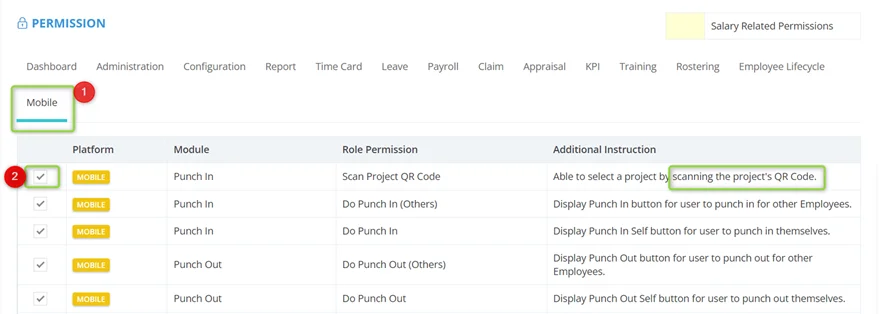
How to enable this role permission:
Go to Administration Role Update Role Mobile tab Enable Scan Project QR Code permission.